Show Us Your Canva Skills
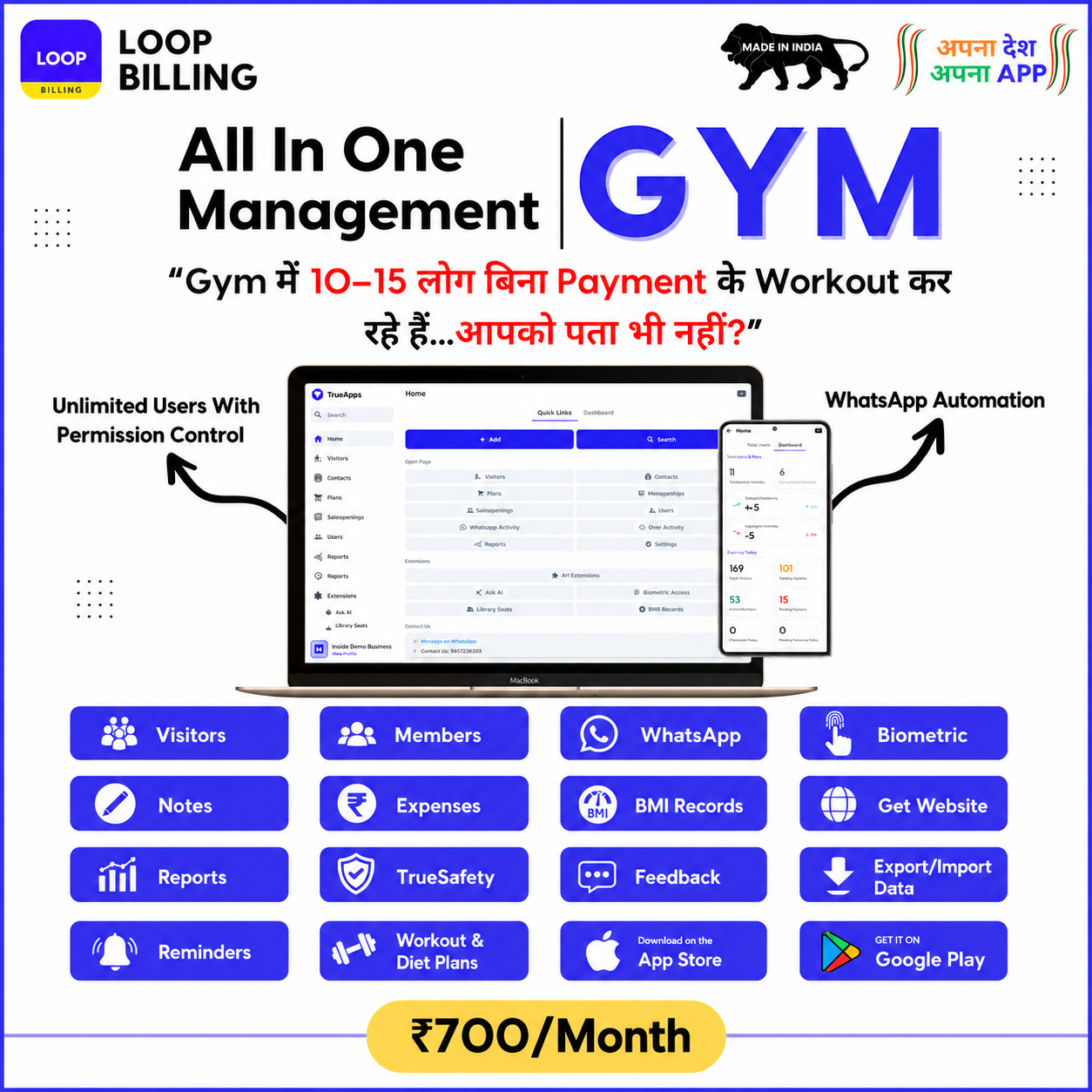
We are hiring a passionate Content Creator! The first step to join our core team is this screening test. Recreate our advertisement exactly as shown using the provided source material assets.
🎯 Goal: Create a pixel-perfect recreation in Canva. We review submissions on a first-come, first-served basis—submit faster to get to the next step quicker!
Follow the 4-Step Process
Ensure you execute each process cleanly to avoid delays in scheduling your call evaluation.
Design Evaluation Criteria
Our creative team evaluates shortlists strictly on attention to detail, spacing, clean typography hierarchies, and layout consistency. Focus heavily on these points:
Required Materials & Target Reference
Below is the main design target you must replicate, followed by the individual transparent-background PNG assets you must use.
This is the finished graphic. Your job is to construct the exact same layout inside Canva.
Download these individual source assets to combine on your Canva canvas.
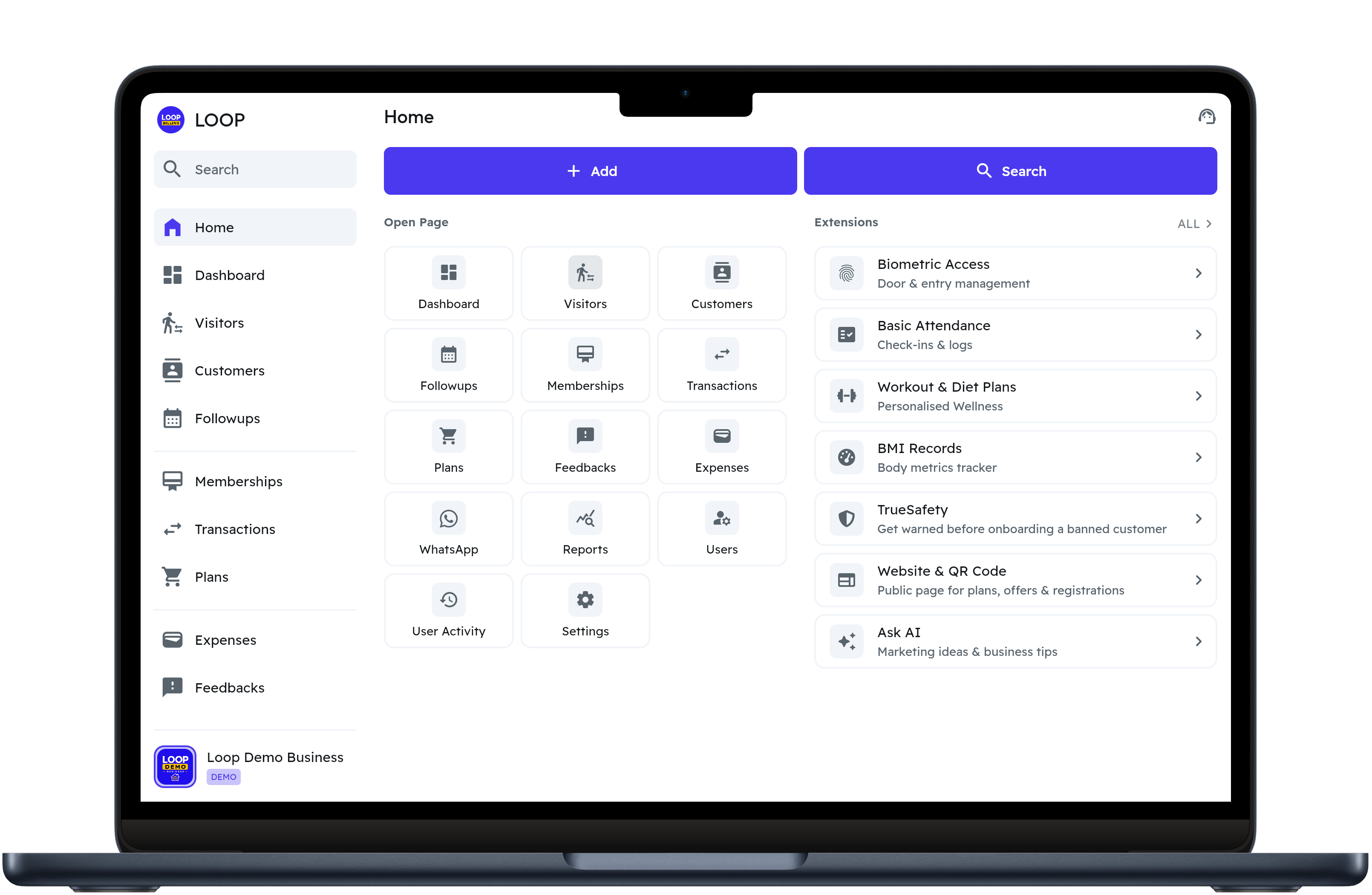
1. MacBook Screen Mockup
High-resolution transparent viewport mockup representing the central dashboard display.
Download Raw Asset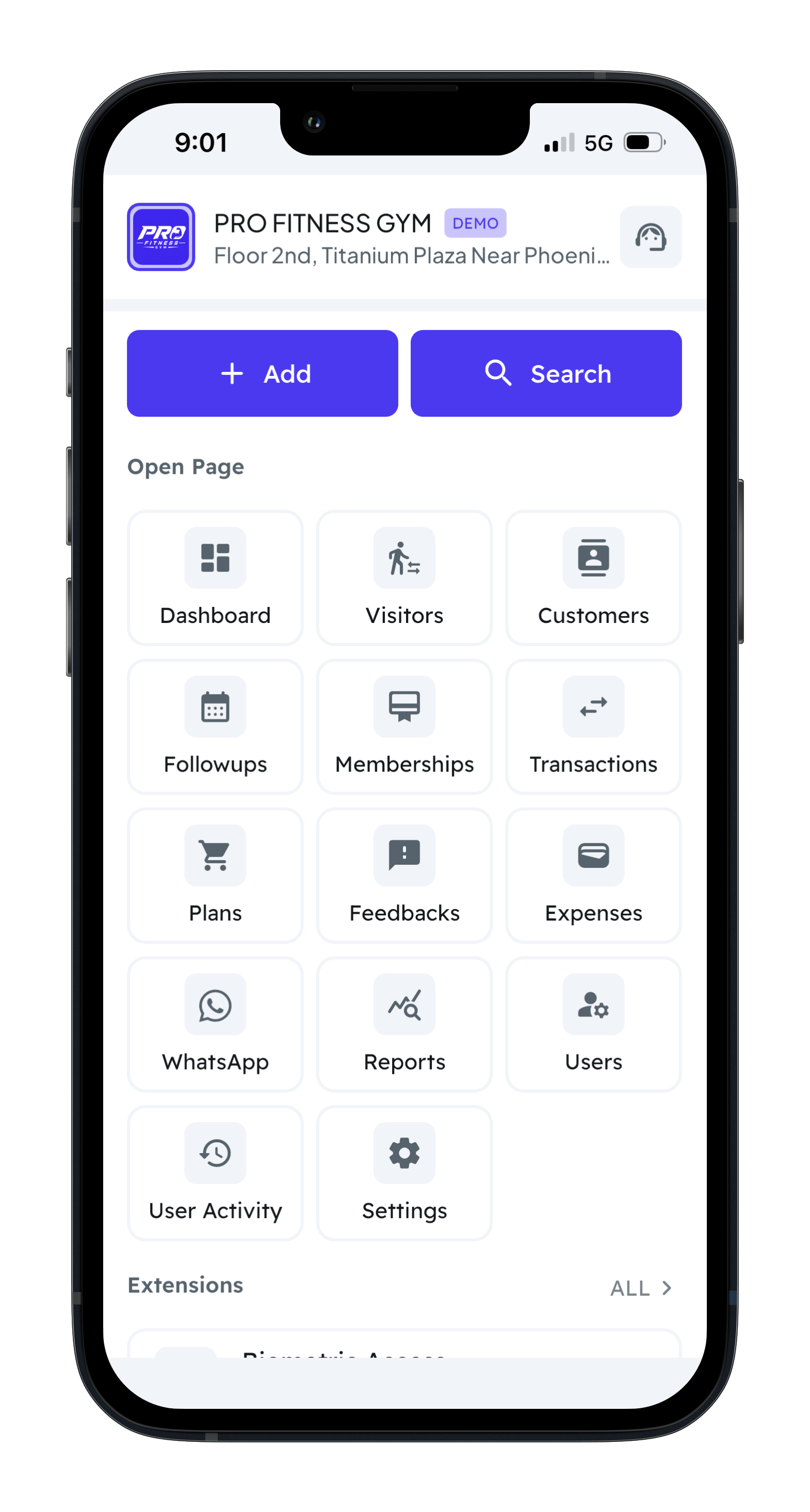
2. iPhone Screen Mockup
Transparent perspective mobile framing displaying corresponding member profile cards.
Download Raw Asset
3. Brand Identity Logo
Official vector transparent logo mark of Loop Billing system branding.
Download Raw AssetSubmit Your Design Over WhatsApp
Once you are done recreating the design on Canva, click the button below to send your Canva link or file attachment directly to our recruitment department. We review submissions on a first-come, first-served basis—earlier submissions get processed quicker to advance you to the final interview round!
Notify Submission on WhatsAppMockup Preview
This high quality material asset is ready to be loaded directly into your editing layout inside Canva.
Download AssetsShow Us Your Canva Skills
We are hiring a passionate Content Creator! The first step to join our core team is this screening test. Recreate our advertisement exactly as shown using the provided source material assets.
🎯 Goal: Create a pixel-perfect recreation in Canva. We review submissions on a first-come, first-served basis—submit faster to get to the next step quicker!
Follow the 4-Step Process
Ensure you execute each process cleanly to avoid delays in scheduling your call evaluation.
Design Evaluation Criteria
Our creative team evaluates shortlists strictly on attention to detail, spacing, clean typography hierarchies, and layout consistency. Focus heavily on these points:
Required Materials & Target Reference
Below is the main design target you must replicate, followed by the individual transparent-background PNG assets you must use.
This is the finished graphic. Your job is to construct the exact same layout inside Canva.
Download these individual source assets to combine on your Canva canvas.
1. MacBook Screen Mockup
High-resolution transparent viewport mockup representing the central dashboard display.
Download Raw Asset
2. iPhone Screen Mockup
Transparent perspective mobile framing displaying corresponding member profile cards.
Download Raw Asset
3. Brand Identity Logo
Official vector transparent logo mark of Loop Billing system branding.
Download Raw AssetSubmit Your Design Over WhatsApp
Once you are done recreating the design on Canva, click the button below to send your Canva link or file attachment directly to our recruitment department. We review submissions on a first-come, first-served basis—earlier submissions get processed quicker to advance you to the final interview round!
Notify Submission on WhatsAppMockup Preview
This high quality material asset is ready to be loaded directly into your editing layout inside Canva.
Download Assets